What did you actually work on today?
Tempro records your Windows computer by itself, works out the project behind every window and gives you the answer for a day, a week or a whole year.
Windows 10 and 11. Free, open source, everything stays on your computer.
W Week
Each day as a stack of work, leisure, personal and utility, set against the week before.
M Month
Which projects grew this month and which ones quietly faded, by day and by week.
Q 3 months
Three months side by side, compared with the three before them.
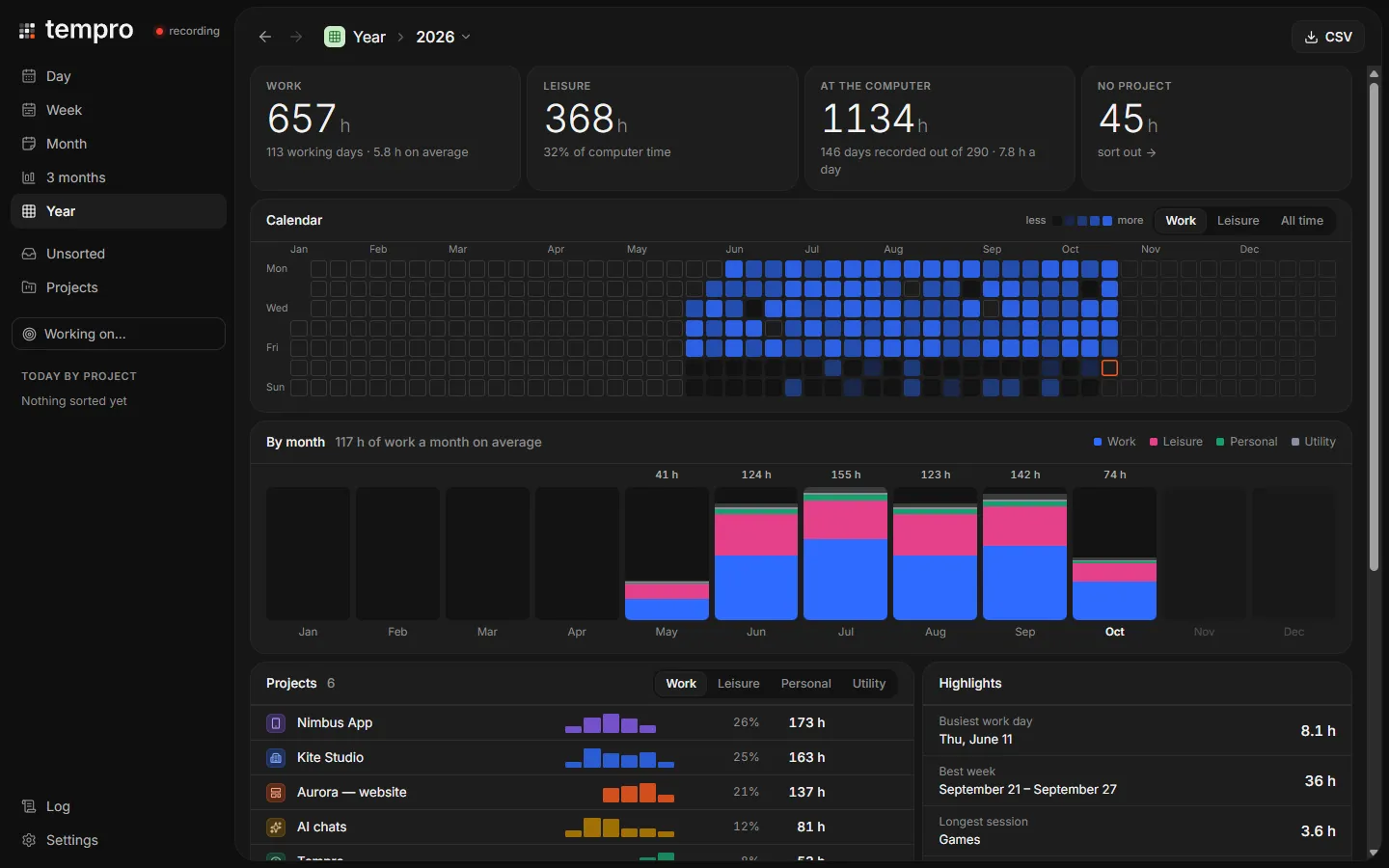
Y Year
A whole year of work on one map, with your busiest hours and weekdays.
Demo data, made up in your browser.
It sorts itself. You correct it once.
Projects come from Figma files, editor folders, tab addresses and chat names. When it gets one wrong, move that window to the right project: Tempro saves a rule and sorts your whole history again, back to the first day.
- Cursor.exeRange.tsx - tempro - CursorTemproby editor folder
- WindowsTerminal.execargo test - temproTemproby terminal path
- Figma.exeAurora website - FigmaAurora websiteby Figma file
- msedge.exeAurora staging - Microsoft EdgeAurora websiteby tab address
- Telegram.exeKite Studio · designKite Studioby chat name
- Figma.exeSpring campaign - FigmaKite Studioby your rule
spring Kite StudioA rule you made once. Every “Spring campaign” window, past and future, now lands here.
Five states, not two.
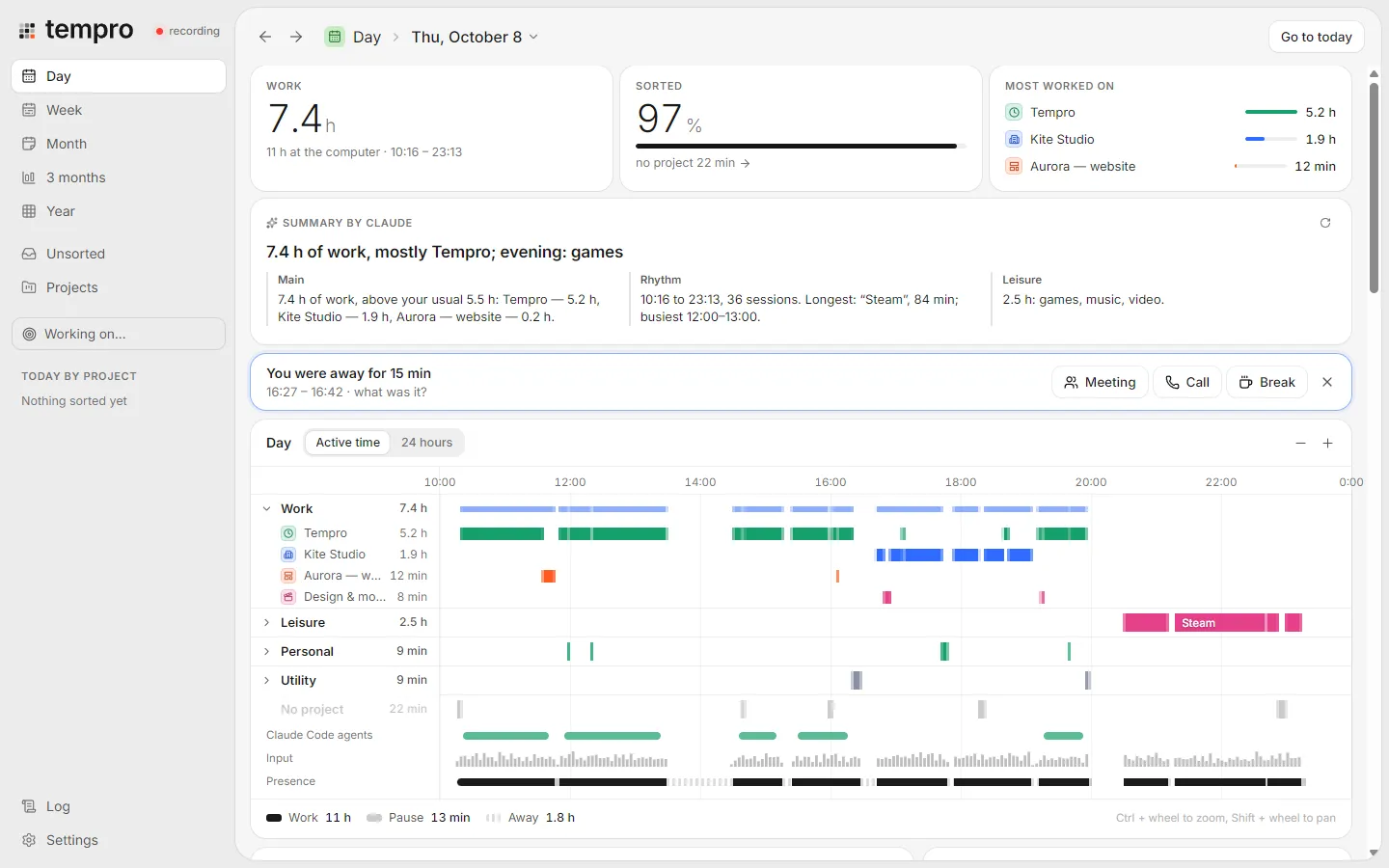
Most trackers know active and idle. A 40 minute talk you watch is not time away, and neither is a call where you barely touch the mouse. This is one day, the same one as above.
- Workfirst at 10:16Keys, clicks and scrolls in this minute.
- Videofirst at 20:05Sound is playing and the window is in front.
- Callfirst at 17:40The microphone is busy.
- Pausefirst at 11:52A short break, under 15 minutes.
- Awayfirst at 13:36Nobody at the computer, or it is locked.
The summary, written for you
7.4 h of work, mostly Tempro; evening: games.
- Main
- 7.4 h of work: Tempro 5.2 h, Kite Studio 1.9 h, Aurora website and design for the rest.
- Rhythm
- From 10:16 to 23:13. The longest stretch was Tempro, 96 minutes from 10:16. Lunch at 13:36, and a 15 minute gap at 16:27 it asked about.
- Leisure
- 2.5 h in the evening: one video, then games.
Optional, and off until you turn it on. Claude, or a local model through Ollama, in English or Russian. Only window titles and minutes are sent.
The app itself, in demo mode.
It sees everything, so it locks everything.
A password can close the log or the whole window, and it locks again when Windows does. Lose it, and the recovery key clears it. What it records, in full
- AES-256
- The database is encrypted with SQLCipher. Its key lives in Windows Credential Manager, tied to your account.
- 30days
- Then window titles and addresses are wiped. Totals stay. You can change the period.
- 127.0.0.1
- The only address its server listens on. Nothing leaves your computer unless you turn the AI on.
- 0keystrokes
- Keys are counted per minute, never captured. Query strings are stripped, private windows ignored.
Install it once. Then forget it.
Download the installer
Tempro_x.y.z_x64-setup.exe from GitHub Releases. It installs for your user, without admin rights.
It starts with Windows
Then it sits in the tray and records. A watchdog brings it back if it ever crashes.
Add what you like
The browser extension for tab addresses and video, and an AI key if you want summaries.
Coming from ActivityWatch? Tempro finds its database and imports the whole history, categories included.